

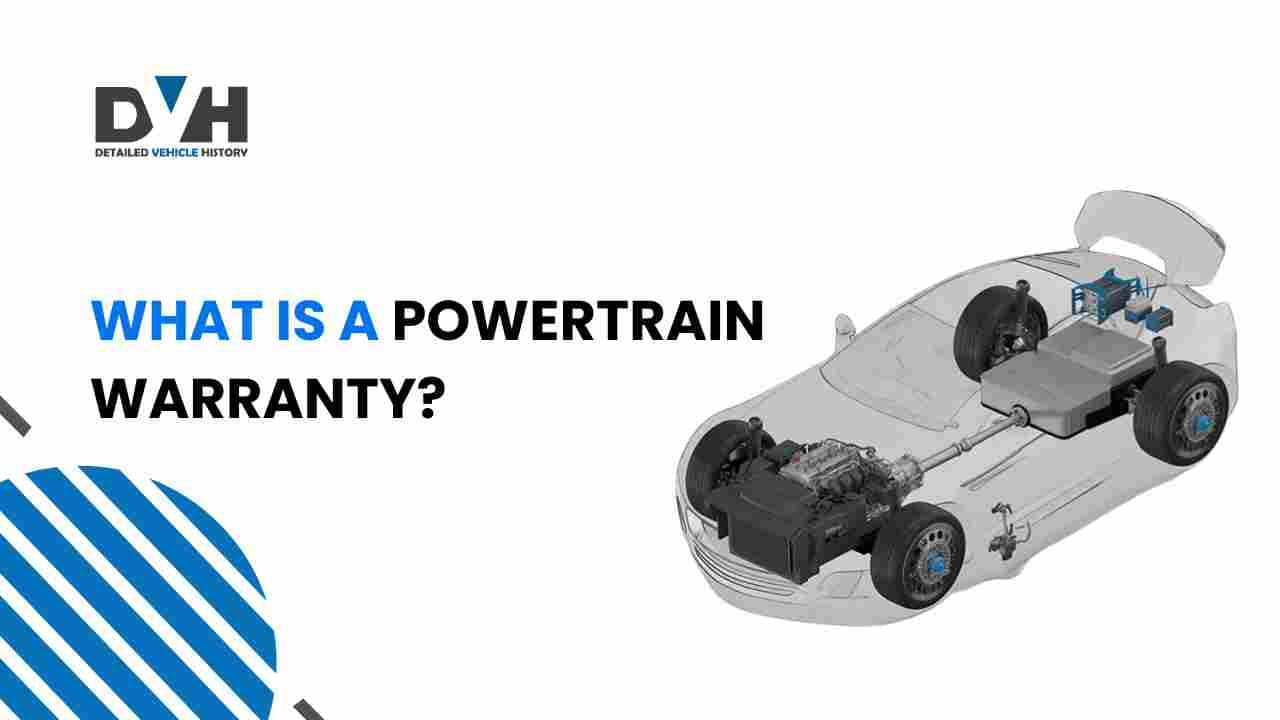
A powertrain warranty is a type of vehicle warranty that covers the essential components responsible for powering and driving your car. This includes key parts like the engine, transmission, and drivetrain.
It helps protect you from costly repairs if one of these crucial systems fails. The powertrain warranty usually comes with new cars, but it can also be purchased for used cars, often as an extended warranty.
Quick Facts About Powertrain Warranties
Before we take a look at what a powertrain warranty covers and how it works, here are a few quick facts to get you started:
- A powertrain incorporates all the parts that directly influence the movement of the car, such as engines and transmissions.
- Lengths of powertrain warranties may differ but range from four to ten years (or 50,000 to 100,000 miles)—always depending on the manufacturer.
- Not everything in your car is covered by this specific warranty, particularly nonmechanical parts such as electronics or the body of the vehicle.
- Unlike bumper-to-bumper warranties, which cover virtually every part of your vehicle, powertrain warranties are more limited than these.
What Is a Powertrain Warranty?
The powertrain warranty covers the most important systems in your vehicle, namely the engine, transmission, and drivetrain. These parts work together to provide power to the wheels, so if something goes wrong, the repairs can be expensive. A powertrain warranty gives you peace of mind by covering the costs of repairs or replacements for these systems under specific conditions.
Unlike other types of coverage, a powertrain warranty typically covers both the parts that generate power (like the engine) and those that transfer it to the wheels (like the transmission and drivetrain). It doesn't cover issues like tire problems or electrical failures.
What Is Covered Under a Powertrain Warranty?
Understanding what's included in a powertrain warranty is essential to knowing what you're getting when you buy a new or used car.
The Powertrain Warranty Usually Covers:
- 1.Engine: The engine is the heart of your vehicle, so it is one of the most important parts of the powertrain warranty as the warranty covers internal engine components like engine block, pistons, crankshaft, etc.
- 2.Transmission: This takes power from the engine and sends it to the wheels as a transfer system. A powertrain warranty usually covers transmission repairs like the gearbox, torque converter, and other major components.
- 3.Drivetrain: Parts that carry power onto the wheels, driveshafts, axles, differentials, etc., fall under the drivetrain and are generally covered under the warranty.
- 4.Seals and Gaskets: Faulty seals and gaskets often are the cause of most leaks in a powertrain, so they usually fall under the powertrain coverage, as they can lead to catastrophic failures quite easily.
What Powertrain Warranties Don't Usually Cover
While a powertrain warranty is comprehensive, there are a few parts not included in the coverage. These often include:
- Exterior parts: Like body panels, mirrors, and windows.
- Electrical system: This includes the battery, alternator, and wiring.
- Suspension system: Parts like shock absorbers, struts, and control arms are typically not covered.
If you're unsure whether a part is covered, it's always a good idea to check the specifics of your warranty. Our detailedVIN check tool can clarify what's covered for any specific car.
How Long Does a Powertrain Warranty Last?
The duration of a powertrain warranty can vary depending on the manufacturer and whether the car is new or used.
- New Cars: For new vehicles, powertrain warranties typically last anywhere from 5 to 10 years or between 60,000 and 100,000 miles, whichever comes first. Some brands, like Hyundai or Kia, even offer 10-year powertrain warranties.
- Used Cars: For used vehicles, the length of the powertrain warranty depends on the age and mileage of the car at the time of purchase. Often, these warranties are shorter, but some used car dealerships offer extended warranties for added protection.
Powertrain warranties can help protect you from significant repair bills, but it's important to check if the vehicle you're interested in has one and for how long. If you're unsure, tools like a VIN window sticker can provide more details about the warranty coverage of specific vehicles.
Is a Powertrain Warranty Right for Me?
When you're buying a car, it's important to consider the protection that a powertrain warranty offers. This type of warranty is a good option if you plan to keep the vehicle for an extended period and want peace of mind, knowing that major mechanical failures won't break the bank.
Powertrain Warranty for New Cars
For new cars, a powertrain warranty is a standard feature. It's ideal for those who want to drive without worrying about repair costs for major mechanical issues. Since a new car is less likely to experience powertrain failures early on, a long-term warranty can be very beneficial.
Powertrain Warranty for Used Cars
When buying a used car, the powertrain warranty can be a lifesaver. However, the warranty may be shorter than what's offered with new vehicles. If you're buying a used car, check the remaining powertrain warranty and consider purchasing an extended warranty if it's available.
How Much Are Powertrain Repairs?
Powertrain repairs can be costly, especially if the engine or transmission needs replacement. Depending on the make and model of the vehicle, repairing or replacing the engine can cost several thousand dollars. Having a powertrain warranty could save you from having to pay out-of-pocket for expensive repairs.
Powertrain Warranty vs. Bumper-to-Bumper Coverage
The key difference between a powertrain warranty and a bumper-to-bumper warranty is the scope of coverage. While a powertrain warranty covers the mechanical components that generate and transfer power, a bumper-to-bumper warranty covers nearly every part of the car, except for wear-and-tear items like tires and brake pads.
Bumper-to-bumper warranties typically cover things like the electrical system, air conditioning, and even some interior features. However, it doesn't cover parts related to powertrain failure. You can use our product Vehicle History to determine precisely what's included in your warranty.
Lifetime vs. Limited Powertrain Warranties
Some manufacturers offer lifetime powertrain warranties, while others provide limited coverage.
Lifetime Powertrain Warranties
A lifetime powertrain warranty covers your vehicle as long as you own it. It offers maximum protection but may come with restrictions based on age or mileage. Always review these terms closely.
Limited Powertrain Warranties
Limited warranties provide coverage for a fixed period—typically 5 or 10 years. After that time frame ends, you'll need to cover repairs yourself. These warranties are generally less expensive than lifetime options but still offer substantial coverage for key components.
How to Check a Vehicle's Warranty Status
You can check the warranty status of any new or used vehicle using either one of the following tools:
A Window Sticker by VIN Lookup
A window sticker provides valuable information about the car's features, specifications, and more, including warranty coverage. For new vehicles, the window sticker will typically display the manufacturer's warranty details, such as the length of the powertrain warranty, bumper-to-bumper coverage, and any additional warranties like corrosion or roadside assistance.
For used vehicles, window stickers help determine original warranty details or any remaining coverage if the original has expired.
To access this information, get a copy of the original window sticker using the window sticker with the VIN tool.
A VIN Check
Another effective method is performing a VIN check using our VIN decoder. Each vehicle has a unique VIN that contains critical information about its history and records.
A VIN check with Detailed Vehicle History will give you a detailed vehicle history report, which includes warranty status, past repairs, accidents, and even whether the vehicle has any remaining manufacturer warranty.
The report shows when the original warranty started, its type (powertrain, bumper-to-bumper), and the expiration date. For used vehicles, this tool is especially helpful in determining if any extended warranties are still in effect or if the car is eligible for warranty services.
Conclusion
In summary, understanding what a powertrain warranty entails is crucial for any car owner. It protects vital components of your vehicle against unexpected repair costs.
If you're considering buying a used car or want more information about your current vehicle's history, performing a quick warranty check by VIN can help clarify existing coverage options. Visit Detailed Vehicle History for comprehensive vehicle history reports that help you make informed decisions about your automotive investments.
Frequently Asked Questions
How do I know if my car has a powertrain warranty?
To find out if your car has a powertrain warranty, you can check the vehicle's original window sticker or run a VIN check. The window sticker will display the warranty coverage details, including the powertrain warranty. You can also get warranty information through a VIN check and vehicle history report.
What is covered in a powertrain warranty?
A powertrain warranty typically covers the engine, transmission, drivetrain, and related components like the driveshafts, axles, and differential. It also covers seals and gaskets, which can cause significant issues if they fail. However, it doesn't cover parts like the electrical system, suspension, or exterior components like the body or windows.
How long does a powertrain warranty last?
The length of a powertrain warranty can vary depending on the manufacturer. For new cars, it typically lasts 5 to 10 years or 60,000 to 100,000 miles, whichever comes first. Some brands, such as Hyundai or Kia, offer a 10-year powertrain warranty. For used cars, the warranty may be shorter, but extended warranties may be available for purchase from dealerships or through third-party providers.