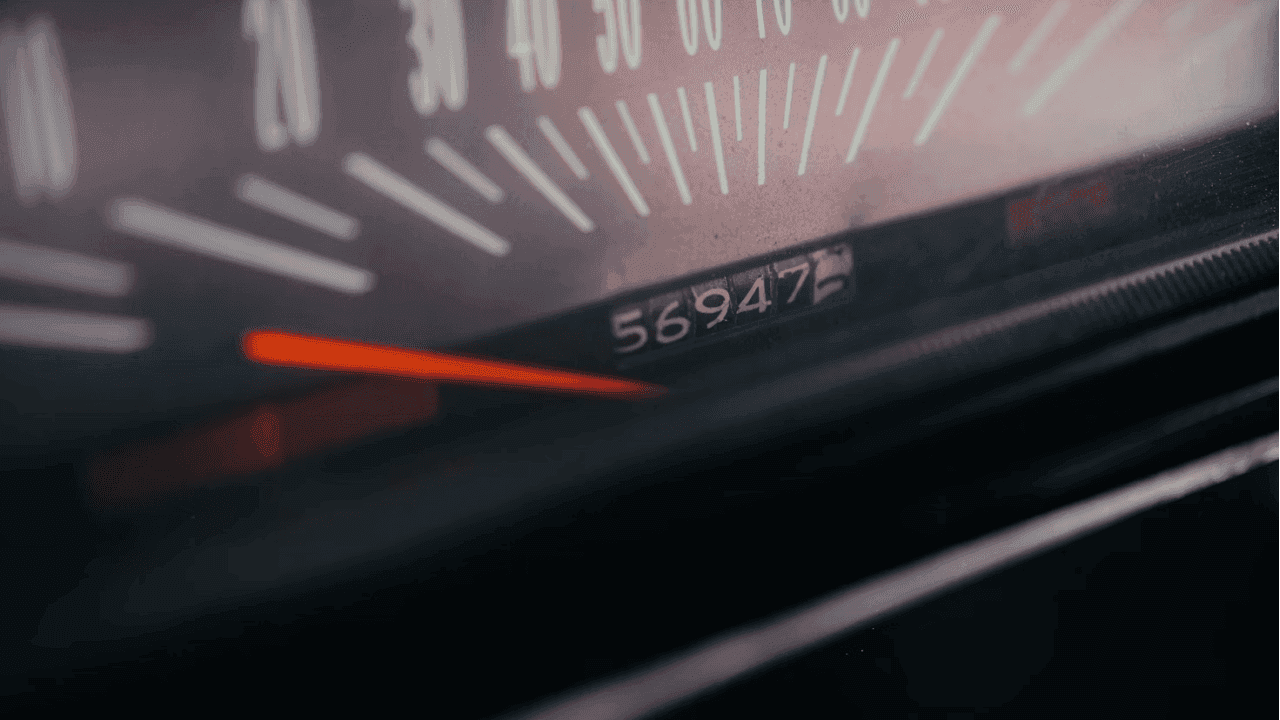

A Car mileage shows how many miles the vehicle has been driven since it was first made. It helps indicate how much use and wear the car has gone through.
A Tesla mileage check is an important factor usually considered when buying or selling a used Tesla. This article will explain how to check mileage on a Tesla car. Tesla is a company that specializes in electric cars.
The methods discussed in this article are for the latest software updates for 2022. We will also provide a step by step guide on how to check Tesla mileage online.
READ ALSO: Can Odometer be Rolled Back? Find Out
How is Mileage Recorded?
The mileage of any given vehicle is the total distance the vehicle has traveled within a specified period of time. For example, Tesla categorizes trips, you can have Trip A and B with their respective mileage and then the total odometer reading.
Just like other systems in the automotive industry, the mileage calculation has evolved from good to better.
Mileage before now was recorded in the analog system, however, companies such as Tesla have digitized the system so frantically well.
Cars are made with preset pressure and diameter, the odometer records and displays mileage by recording and converting pulse signals from tires.
How to Check Tesla Mileage on the Car
Apart from getting the vehicle history report to check the odometer history section, you can follow the following steps to check Tesla mileage on the car.
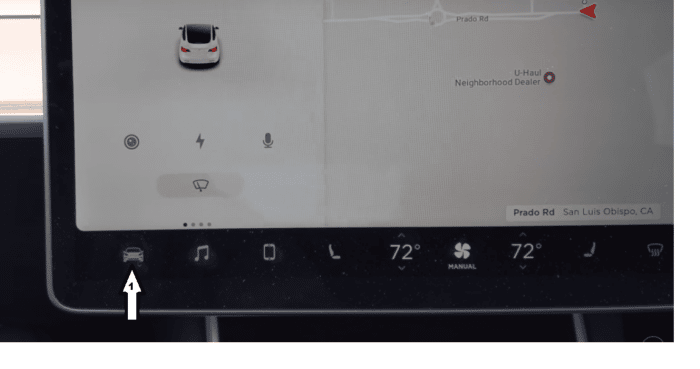
1. On your Tesla car screen, click on the car symbol usually on the bottom left
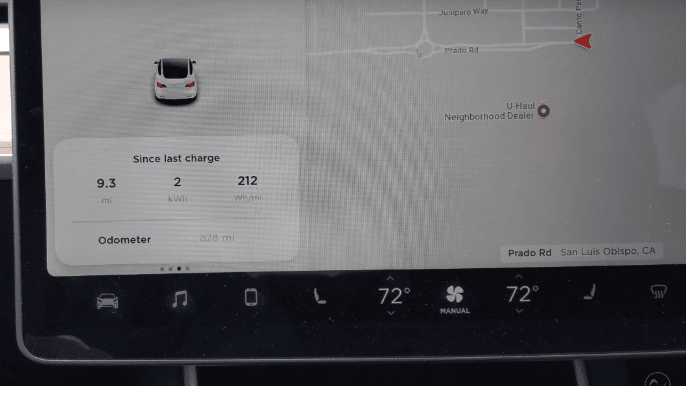
2. Tap "Trips", this will show the trips and their various mileages.
3. Scroll down to see the odometer reading
If you're not with the car and needs to verify the actual mileage, you can follow these simple steps on how to check Tesla mileage online:
- Enter the VIN number into our VIN check tool. Also provide your email and phone number.
- Click “Search VIN” to initiate the car mileage check process.
- You may get a free odometer check to only see the last odometer reading from the preview page (if available)
- For the odometer history or to know if there's any odometer rollback, go ahead to purchase the detailed vehicle history report.
You will also access other records like accidents, titles, ownership, lien/loan and more. If the VIN is not available, you can also check car mileage by license plate search.
Significance of the Tesla Odometer History to Dealerships
Having Tesla cars with accurate mileage helps your clients to build confidence in your dealership business. After checking to see that the odometer readings of the Tesla vehicles in your showroom are accurate by comparing the reading with mileage on the report, they are confident to trust you with their used Tesla cars purchases.
Significance of the Tesla Mileage History to Car Owner
The mileage of your Tesla vehicle is an indication of the rate of tear and wear in your vehicle, this, in turn, will affect the second-hand value of your vehicle.
Hence, how far your vehicle has traveled will also be a determining factor for your resell price.
Most manufacturers use mileage as a yardstick to determine when a car will need servicing next, that brings us to the next question.
How to Get Upcoming Service Maintenance for Tesla for Free
If you buy a VIN report from us, you qualify to check upcoming services for free, accessible from the member area or your dashboard. Follow the following simple steps.
- Click on “upcoming maintenance”
- Select the VIN of the particular Tesla car you want to make a check on
- Enter the current mileage of the vehicle
- Click on “Get maintenance records”
Our system will automatically provide you a list of recommended services and maintenance due for your vehicle at that mileage in split seconds.
Conclusion
Knowing how to check the mileage on a Tesla is very helpful, especially if you're buying a used one. You can view the mileage on the car's display or use a VIN check tool online to get more details.
For buyers who want to see the car's original features, specs, and pricing, getting a Tesla window sticker by VIN is a smart choice. It gives you clear and trusted information to make a better buying decision.
Frequently Asked Questions
How do I check my Tesla remaining range?
The easiest way to track your car's range is by using the Energy app on your Tesla's touchscreen. This app helps you drive more efficiently and get the most range possible.
How do I see the mileage on a Tesla?
To check your Tesla's mileage, go to the touchscreen and tap Controls > Software or Controls > Trips. You can also find it in the Tesla app, just above your VIN on the main screen.
How do I check my car mileage?
To check your car's mileage, you only need to locate and read the odometer, which is typically found on the dashboard. If you're buying a used car, you may need to verify the odometer has not been rolled back by running a VIN check.